release-it 能做什么?
-
增加版本号并提交 Git
-
生成变更日志(Changelog)并提交到 Git
-
创建 Git 标签并推送到远程仓库
-
发布到 npm 等软件仓库
-
在 GitHub、GitLab 等平台创建发行版
前置知识
在看这篇文章之前,我们有必要了解一下
安装依赖
- 执行命令
pnpm add release-it @release-it/conventional-changelog -D- 根目录添加 .release-it.json 配置文件,具体配置请参考:conventional-changelog
{
"plugins": {
"@release-it/conventional-changelog": {
"preset": {
"name": "conventionalcommits",
"types": [
{ "type": "feat", "section": "✨ Features | 新功能" },
{ "type": "fix", "section": "🐛 Bug Fixes | Bug 修复" },
{ "type": "chore", "section": "🎫 Chores | 其他更新" },
{ "type": "docs", "section": "📝 Documentation | 文档" },
{ "type": "style", "section": "💄 Styles | 风格" },
{ "type": "refactor", "section": "♻ Code Refactoring | 代码重构" },
{
"type": "perf",
"section": "⚡ Performance Improvements | 性能优化"
},
{ "type": "test", "section": "✅ Tests | 测试" },
{ "type": "revert", "section": "⏪ Reverts | 回退" },
{ "type": "build", "section": "👷 Build System | 构建" },
{ "type": "ci", "section": "🔧 Continuous Integration | CI 配置" },
{ "type": "config", "section": "🔨 CONFIG | 配置" }
]
},
"infile": "CHANGELOG.md",
"ignoreRecommendedBump": true,
"strictSemVer": true
}
},
"git": {
"commitMessage": "chore: Release v${version}"
},
"github": {
"release": true,
"draft": false
}
}配置说明:
-
git:配置 Git 相关的任务,如自动提交代码、打标签等
-
github:配置 GitHub 相关的任务,如创建发行版
-
npm:配置 npm 相关的任务,如发布到 npm 仓库
-
plugins:配置使用的插件
本文并没有发布到 npm ,需要的朋友可自己配置
- 向 package.json 的 scripts 中添加命令:
"release": "release-it"上面命令默认更新次版本号,如果想每次更新修订号,可执行 pnpm release patch
# 更新主版本号
 pnpm release major

 # 更新次版本号
 pnpm release minor

 # 更新修订号
pnpm release patch- 在我们开发完代码后,执行 pnpm release 命令,控制台会自动帮我们打包版本号并生成 CHANGELOG:
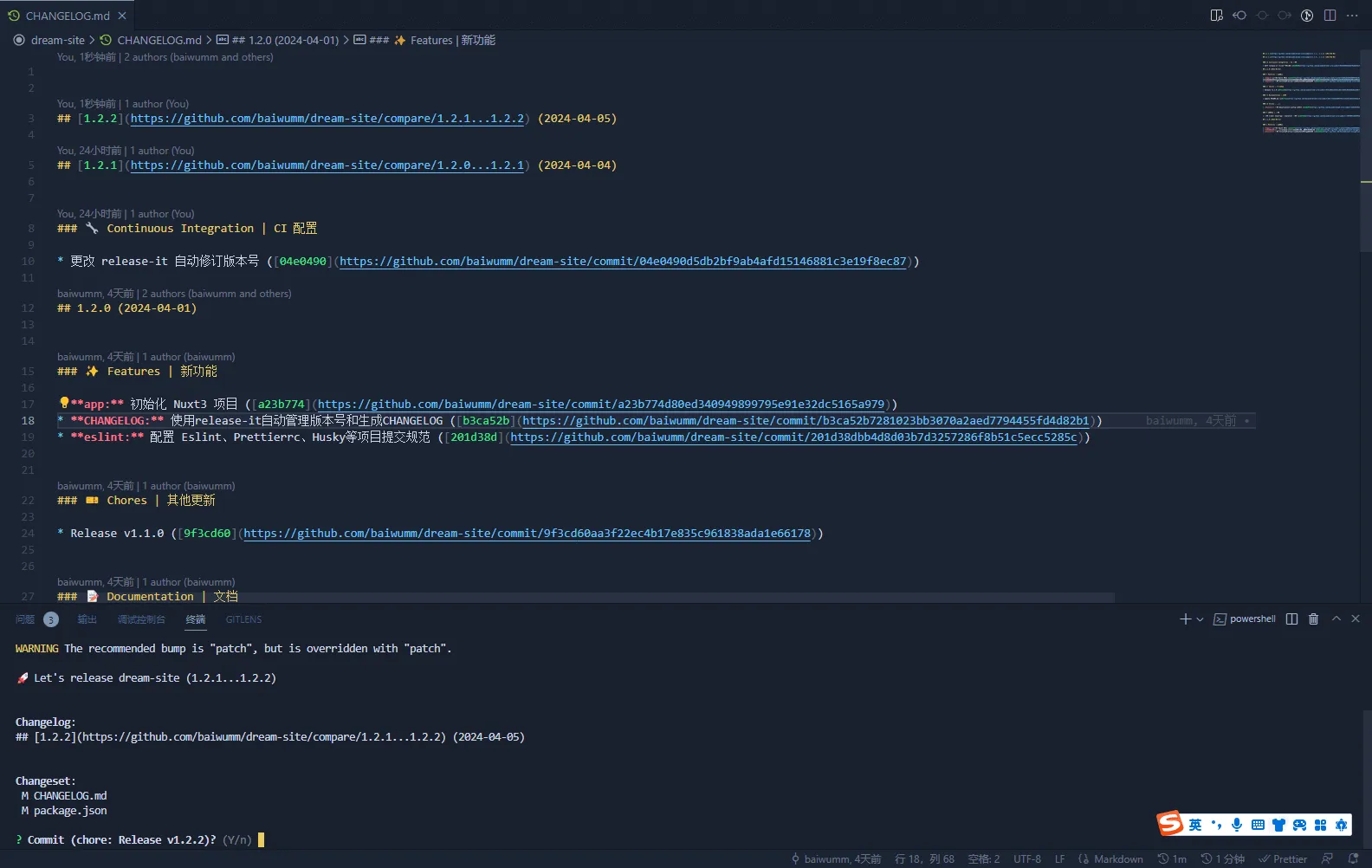
效果预览
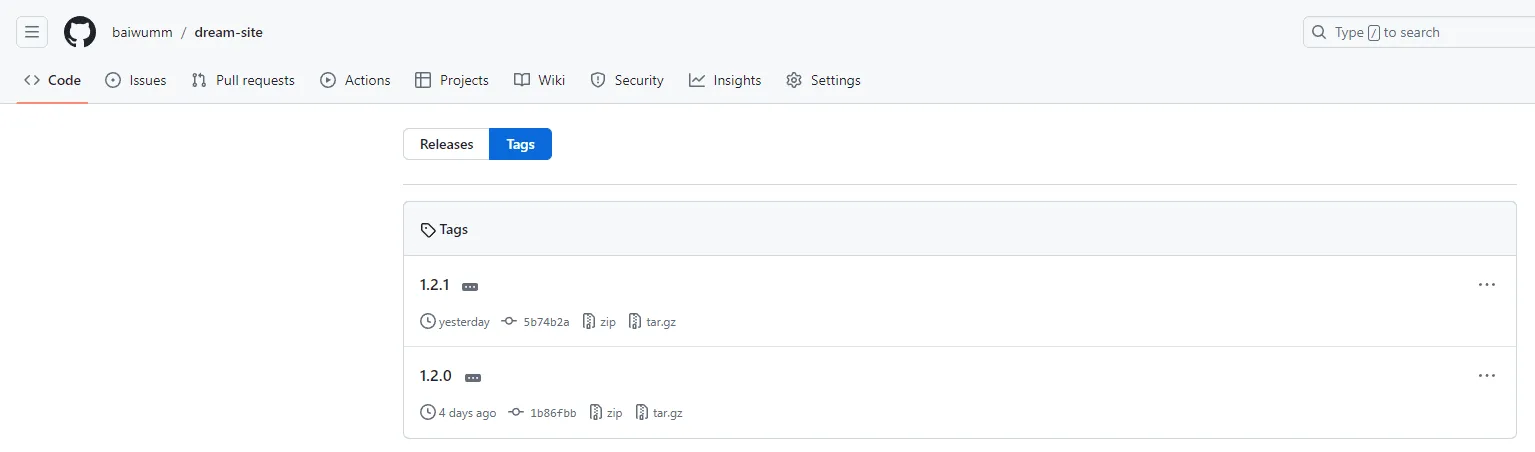
git 打的标签 Tag
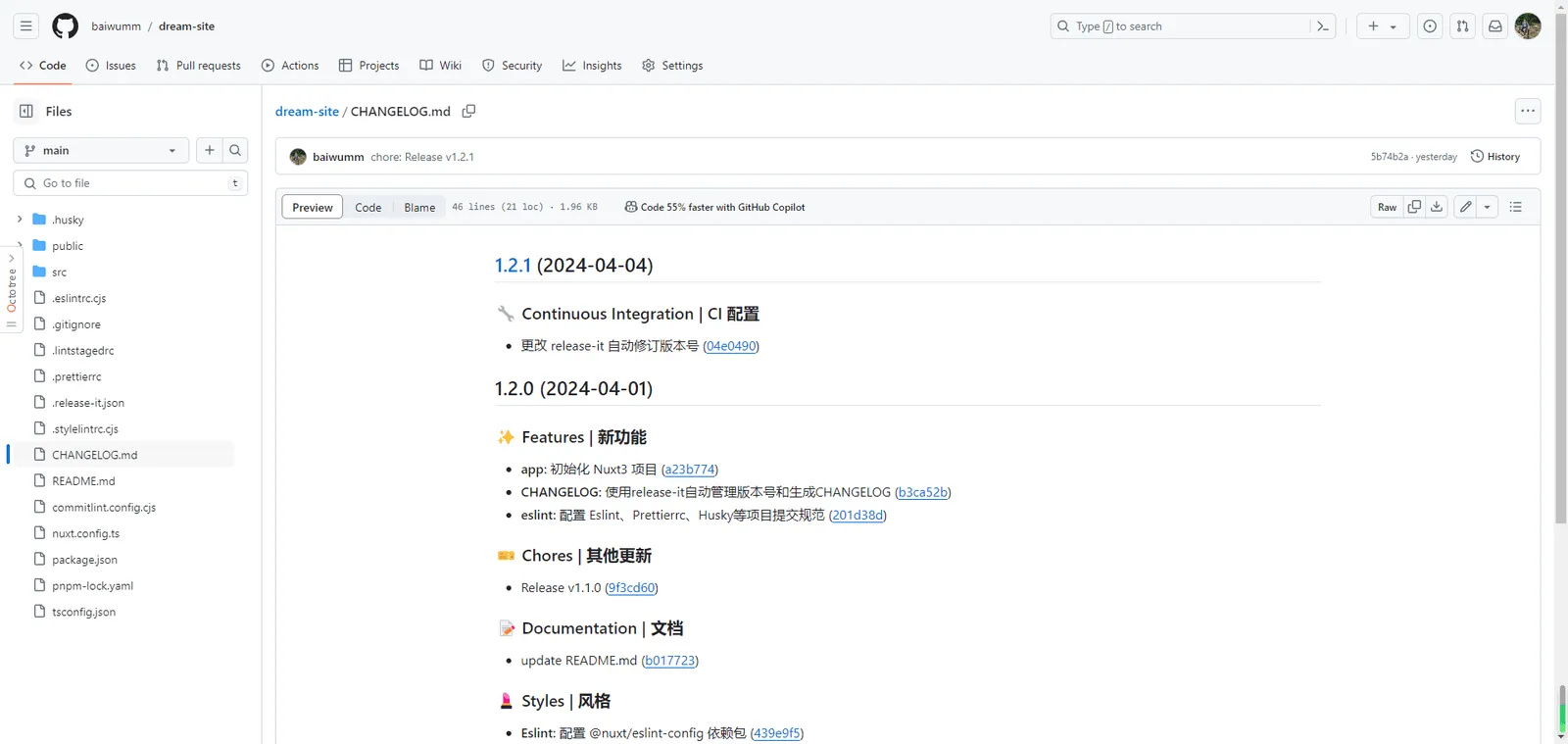
CHANGELOG
评论